

Appearance
Printing a pattern
File > Export pattern (PDF) turns the visible layers into a chart you can stitch from.
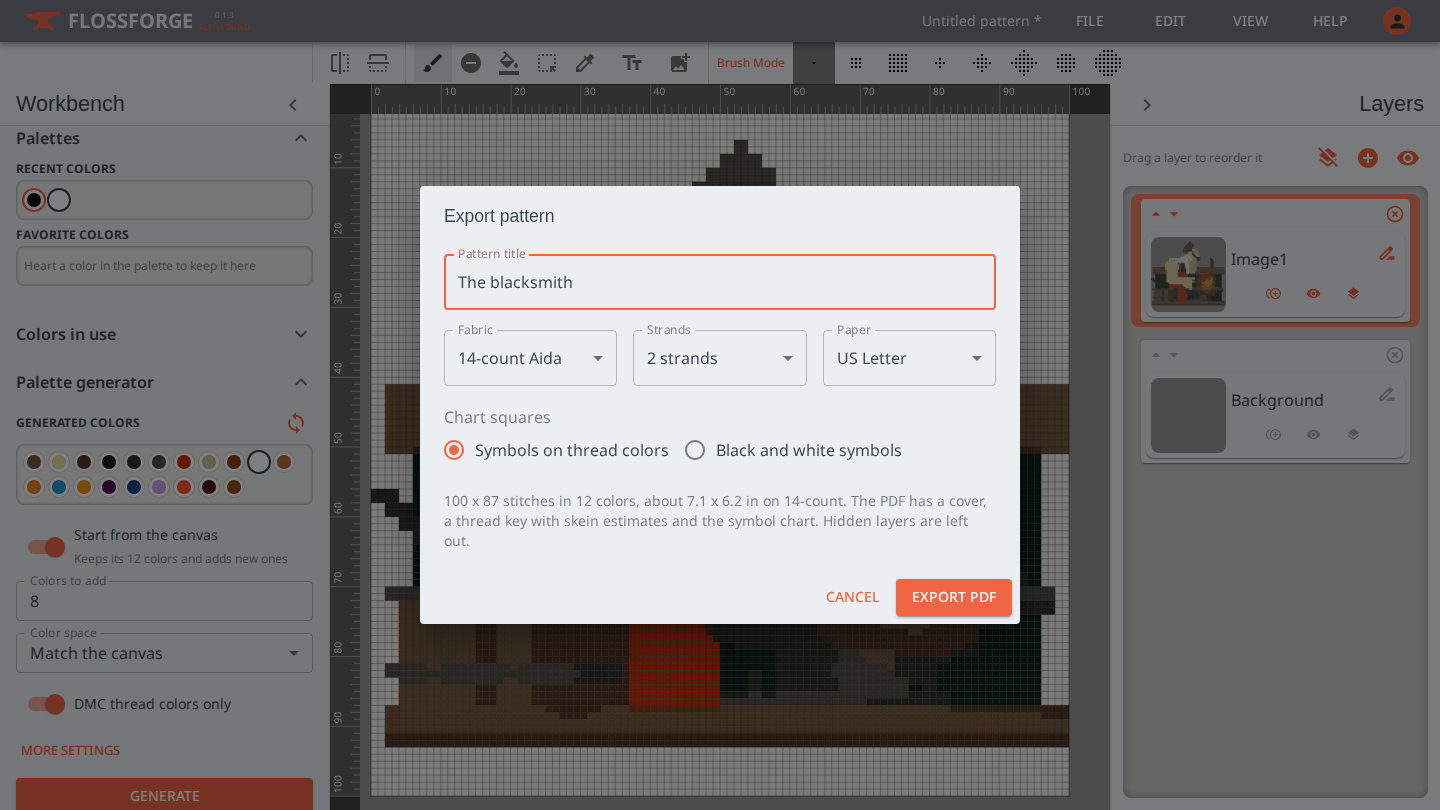
Choices
- Pattern title goes on the cover and in the header of every page.
- Fabric is the count of your Aida, in stitches per inch. It sets the finished size on the cover and the amount of fabric to cut.
- Strands is how many strands of floss you stitch with. It changes the skein estimate.
- Paper is US Letter or A4.
- Chart squares are either symbols printed on their thread colors, which is easiest to read, or black and white symbols, which prints on any printer and is easier to mark off as you go.
Colors that share the same DMC thread are merged into one entry, and the chart is cropped to the stitched area, so empty canvas around the design does not print.
What is in the PDF
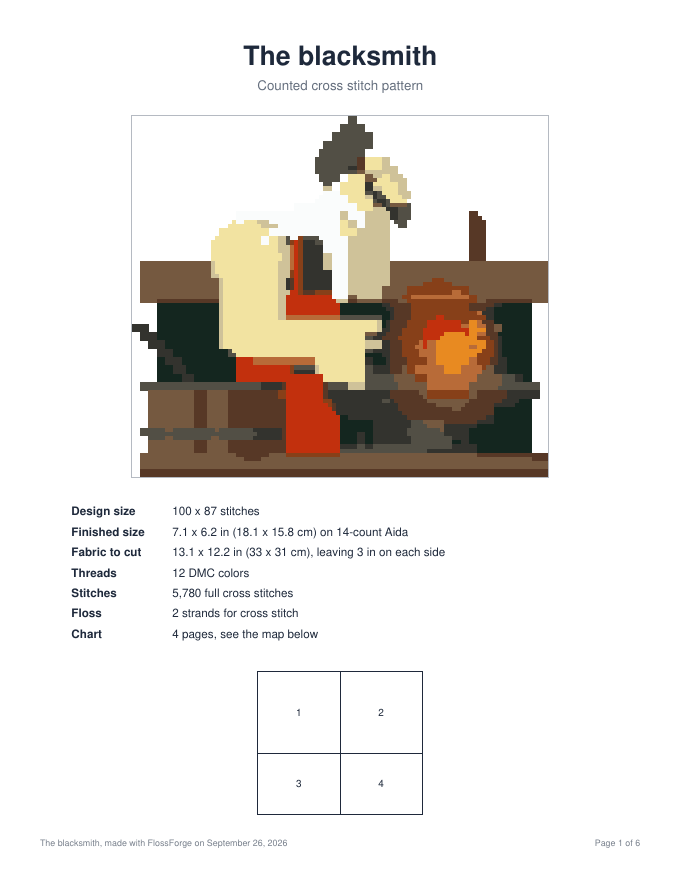
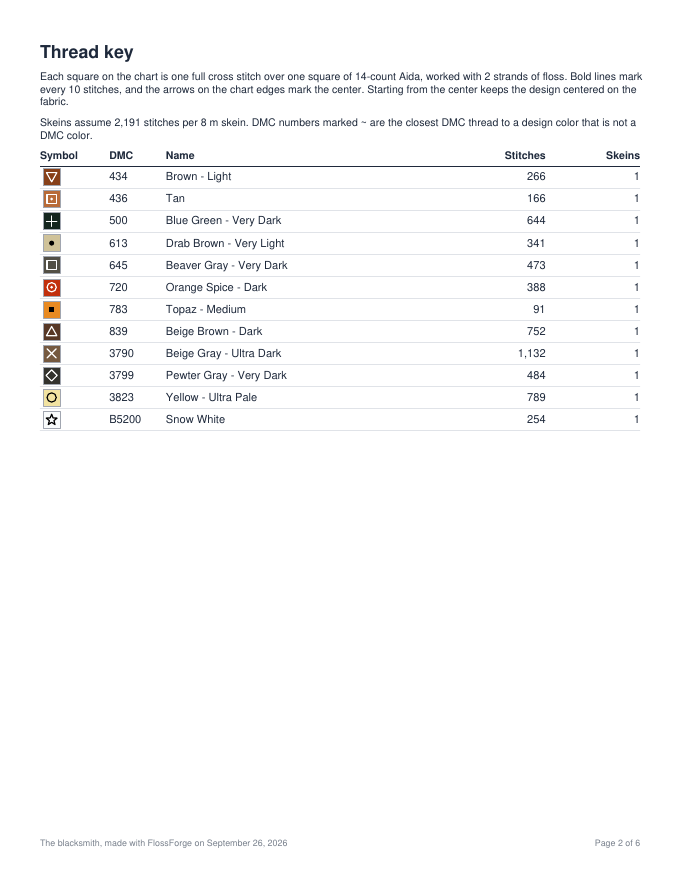
The cover shows the design, its size in stitches and inches and centimetres on your fabric, and how much fabric to cut with a margin for framing. The thread key lists every color with its symbol, DMC number and name, the number of stitches, and how many skeins that is at your strand count. A thread marked with a tilde is the closest DMC match to a design color that is not itself a DMC color.
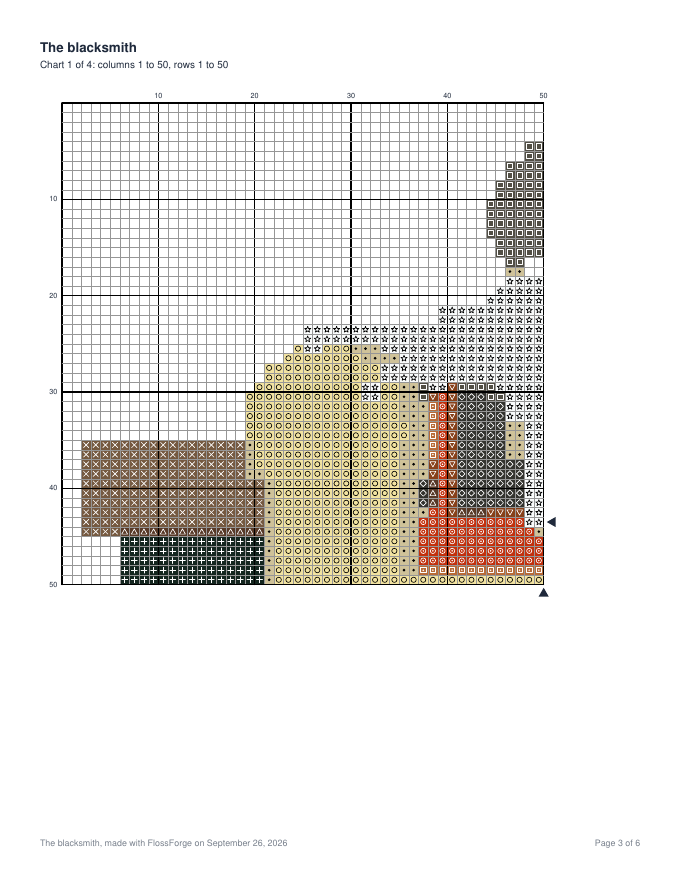
The chart follows, with a bold line every ten stitches and arrows on the edges marking the center. A large design is split across pages that overlap by a few stitches so they line up when laid side by side, and each page says where it sits in the whole.
Choosing symbols
The symbol each color prints with is chosen for you so that neighbouring symbols are easy to tell apart. To change one, open Colors in use in the Workbench and click the symbol beside the color. Turning on Symbols under Canvas shows them on the canvas itself.